
Doodle Jump Unblocked — Play Free Online
More Runners and Platformers games


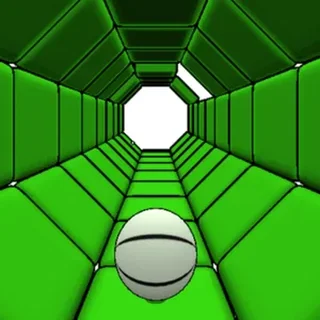


Doodle Jump unblocked: play Doodle Jump online free right here in your browser — no download, no sign-up, works on a school Chromebook.
What is Doodle Jump?
Doodle Jump is a vertical arcade platformer created by Lima Sky. Players take control of a four-legged alien jumper that continuously bounces upward across hand-drawn platforms. Your single goal is to climb as high as possible without missing a ledge or colliding with airborne threats. While multiplayer titles on Among Us Online like Among Us rely on deduction and deception between crewmates, Doodle Jump delivers an intense solo test of rhythm and aerial positioning. It runs instantly in modern web browsers without any installation or setup.
Key features
- Automatic bouncing: The jumper launches upward on every solid landing without requiring manual jump inputs.
- Springs and flight gear: Useful pickups like bouncier springs, propeller hats, and rocket boosters propel your character upward in sudden bursts.
- Fragile surfaces: Cracked brown platforms break the instant you touch them, forcing you to plan your landing spots ahead of time.
- Hostile aerial obstacles: Strange alien monsters and gravitational black holes block ascending corridors, demanding prompt reaction or a quick shot.
- Endless vertical progression: The stage generates continuously, increasing hazard frequency and spacing out safe footing as your altitude climbs.
- Defensive blasting: A quick left mouse click fires projectiles directly upward to clear menacing creatures out of your flight path.
How to play
- Start your ascent as the character begins bouncing from the bottom platform immediately upon launch.
- Steer horizontally with the left and right arrow keys to align your descent with solid green platforms.
- Collect booster items such as springs, propeller hats, or rocket packs to bypass tricky gaps and accelerate your climb.
- Eliminate hovering monsters using left click before they block your upward trajectory.
- Avoid falling beneath the bottom edge of the display, as a single missed platform terminates the run instantly.
Controls
| Action | Keyboard / mouse | Touch |
|---|---|---|
| Move left and right | Left and right arrows | Tilt or swipe device |
| Shoot upward | Left click | Tap screen |
The jumping motion itself is completely automated. Every time the jumper lands on a solid surface, it rebounds upward, allowing you to focus your attention entirely on alignment and target tracking.
Platform types and hazards
Success in Doodle Jump requires recognizing platform behaviors before committing your trajectory. Standard green ledges provide dependable footing that you can return to repeatedly. In contrast, brown platforms crumble immediately upon contact, failing to support a jump. As you reach higher altitudes, gaps widen, and the margin for landing error narrows considerably.
In addition to unstable ledges, several hazards actively threaten your ascent. Black holes exert dangerous pull and must be bypassed entirely. Floating alien beasts patrol open spaces between ledges. While touching these creatures leads to immediate failure, you can neutralize them with an accurate left mouse click or carefully maneuver around them when an open lane presents itself.
Tips and strategy
- Anticipate the next two bounces: Rather than reacting to the platform directly below, scan the screen upward to plot your secondary landing spot before touching down.
- Use screen wraps for tricky angles: Moving off the left edge of the display wraps your character around to the right side, opening alternative routes when platforms on one side disappear.
- Clear monsters from below: When an alien appears overhead, fire with left click early instead of trying to weave around it in tight quarters.
- Time your booster pickups carefully: While rocket boosters and propeller hats cover huge distances quickly, ensure you are ready to resume manual steering the moment their power expires.
- Treat brown ledges as obstacles: Never steer toward brown platforms unless you deliberately need to break through them to reach lower ground safely.
Versions and similar games
Doodle Jump first appeared on mobile devices in 2009 before arriving as a web browser edition in 2017. If you enjoy testing your reflexes on Among Us Online, several sibling games offer complementary challenges. Bad Ice Cream combines vintage arcade movement with maze defense and item collection. For players seeking mental puzzles rather than reflex trials, Word Wipe and Guess Who? deliver thoughtful pacing between energetic jumping sessions. Each title runs directly in the browser alongside Doodle Jump.
Developer and history
Doodle Jump was created by Lima Sky. First released in April 2009 for handheld devices, it became an iconic arcade classic thanks to its responsive tilt mechanics and hand-drawn notebook aesthetic. Lima Sky later brought the beloved jumping formula to desktop browsers in January 2017, preserving the fluid climbing loop and charming art style for browser players.
Questions about Doodle Jump
Is Doodle Jump unblocked at school?
Doodle Jump runs in an ordinary browser tab from amongus-online.io, with nothing to download or install, so it plays on most school Chromebooks and work computers. If a network filter blocks the site, only that network's administrator can change it.
Do you need to press a button to jump in Doodle Jump?
No, jumping happens automatically whenever your character contacts a solid ledge, leaving horizontal steering and shooting as your main tasks.
What power-ups can you collect during a climb?
You can encounter springs to bounce higher, as well as propeller hats and rocket boosters that carry your jumper upward through dangerous stretches.
How do you deal with alien monsters on your path?
You can eliminate aliens by aiming upward and firing with a left mouse click, or steer around them carefully to avoid colliding with them.
Can you play Doodle Jump directly in your web browser?
Yes, this version runs entirely inside modern web browsers with no download, installation, or user account required.
More games
 Hangman
 Word Wipe
 Boo
 Outspell
 Escape Room 2
 ZombsRoyale.io
 Defly.io
 Snake.io
 Slither.io
 LoLBeans
 Car Parking Multiplayer
 Spades
 Hexanaut
 Penalty Kick
 Powerline io
 Bloxorz
 Backgammon
 Cribbage
 Blackjack
 Atari Breakout
 Gin Rummy
 OXXO
 American Football Challenge
 Basketball Legends
 Basketball Shooter
 Soccer Skills World Cup
 Highway Traffic